
Important Update: Credit Card on File Policy
To improve efficiency, reduce paperwork, and ensure seamless delivery of your care, all patients will be required to add and maintain a valid credit or debit card securely on file by December 1, 2025. You can conveniently add your card through the Patient Portal. For full details, please visit the Billing section of our website.
As children progress through growth and development, they are often faced with challenges of coping, adapting, and relating to others and the world around them. Children differ from adults in the way they experience and respond to physical, mental, and emotional situations.
Learn MoreAdolescents face a greater risk of mental health conditions when their living situation is inconsistent, stigmatization or bullying occurs, along with social and environmental issues that impact their ability to manage day to day situations.
Learn MoreAdults are presented with many life challenges including marriage, child bearing and rearing, divorce, medical illness, work, social stress, and caring for aging parents. Middle aged adults, particularly women, begin going through body changes that occur naturally with age.
Learn MoreAmong the older adult population, many mental health concerns go undiagnosed. Older adults may experience chronic physical health conditions, memory problems and cognitive decline along with isolation and loneliness.
Learn More
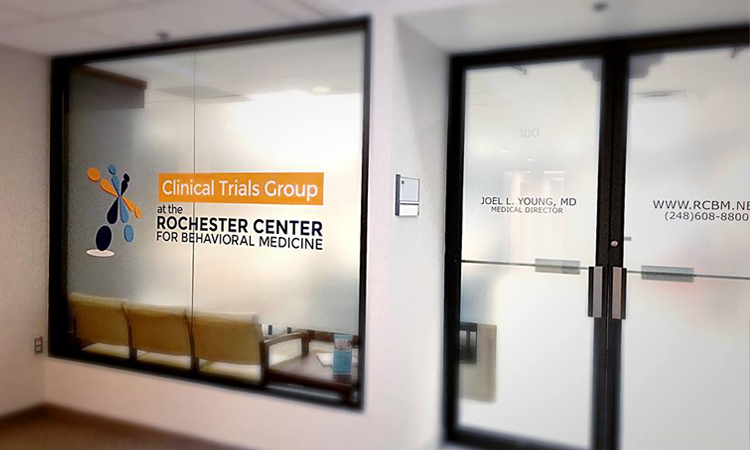
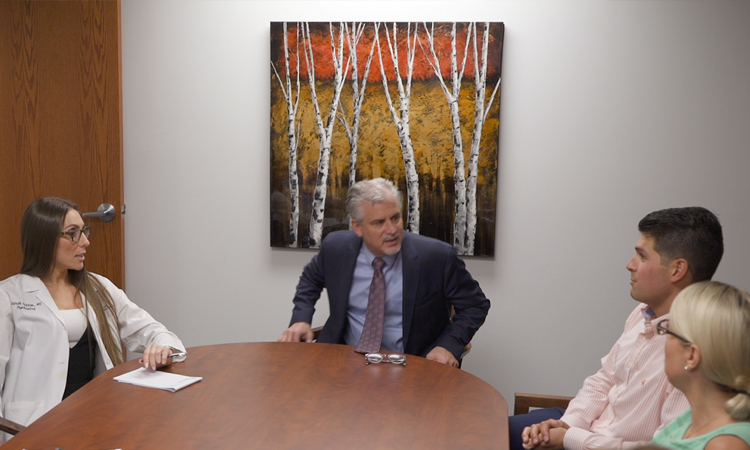
The Rochester Center for Behavioral Medicine (RCBM) is an outpatient behavioral health clinic dedicated to improving our patients' quality of life experience. RCBM brings together a comprehensive treatment team with various clinical backgrounds and specialties. Working together, we combine the treatment modalities of psychotherapy with medication and nutrition management to alleviate suffering and help people lead happier, more productive lives.
Under the medical leadership of Joel L. Young, MD, RCBM is a leader in diagnosing and treating ADHD. RCBM also offers a variety of services to children, adolescents, adults, and seniors, including treatment of ADHD and learning disabilities; depression, bipolar disorder, and other mood and anxiety disorders; work-related concerns; family and marital issues; substance abuse and eating disorders; and weight management. With both in-person and virtual options available, we can see patients from across the state of Michigan, from Lake Huron to Lake Michigan and Down River to the Upper Peninsula.
As part of our ongoing commitment to your safety and wellness, we require an annual in-person visit at our office for any patients prescribed controlled substances or GLP-1 medications, along with patients whose primary insurance is Medicare.
Learn MoreThe Medabolic Program offers a collaborative approach to weight management, integrating the services of our prescribers, therapists, and registered dietitians.
Learn MoreThe Rochester Center for Behavioral Medicine is pleased to offer SPRAVATO® (esketamine) for treatment resistant depression (TRD) and major depressive disorder with suicidal thoughts or actions.
Learn MorePourra Mod V3.0: A Comprehensive Guide to Downloading and Fixing Roblox Issues
Roblox, the popular online gaming platform, has captured the hearts of millions of users worldwide. With its vast array of user-generated games and interactive features, it's no wonder why Roblox remains a favorite among gamers of all ages. However, like any complex software, Roblox can sometimes encounter issues that hinder the gaming experience. One such issue is the "Pourra Mod V3.0" error, which has been plaguing users and preventing them from enjoying their favorite games.
In this article, we'll explore the Pourra Mod V3.0, its features, and most importantly, provide a step-by-step guide on how to download and fix Roblox issues using this mod.
What is Pourra Mod V3.0?
Pourra Mod V3.0 is a popular modification (mod) designed specifically for Roblox. Developed by a team of skilled programmers, this mod aims to enhance the overall gaming experience by providing users with additional features, improved performance, and bug fixes. With Pourra Mod V3.0, users can expect a more stable and enjoyable experience while playing their favorite Roblox games.
Key Features of Pourra Mod V3.0
So, what makes Pourra Mod V3.0 so special? Here are some of its key features:
Downloading Pourra Mod V3.0
Now that we've covered the basics, let's move on to the download process. To download Pourra Mod V3.0, follow these steps:
Installing Pourra Mod V3.0
After downloading Pourra Mod V3.0, follow these steps to install it:
Fixing Roblox Issues with Pourra Mod V3.0
Now that you've installed Pourra Mod V3.0, let's discuss some common Roblox issues that this mod can fix:
Troubleshooting Tips
If you encounter any issues during the download or installation process, here are some troubleshooting tips:
Conclusion
Pourra Mod V3.0 is a powerful tool for Roblox users, offering a range of features, improved performance, and bug fixes. By following this guide, users can easily download and install Pourra Mod V3.0, fixing common Roblox issues and enhancing their overall gaming experience. Whether you're a seasoned Roblox player or a newcomer, Pourra Mod V3.0 is definitely worth checking out.
Frequently Asked Questions
By following this comprehensive guide, you'll be able to download, install, and enjoy Pourra Mod V3.0, taking your Roblox experience to the next level.
The search for "Pourra Mod v3.0" specifically for Roblox does not yield results from official or widely recognized developer communities. This suggests the "mod" may be a niche, unofficial, or potentially outdated tool.
When looking for Roblox mods or fixes, it is crucial to prioritize account safety and software integrity. Below is an overview of what to consider if you are searching for this specific version. Understanding Roblox "Mods"
Most Roblox mods like "Pourra" usually claim to offer features such as:
Menu Exploits: Providing in-game advantages like fly, wall-hack, or speed.
Performance Fixes: Attempting to resolve lag or crashing issues (often labeled as "Fix" versions). Unlocked Skins: Claims to provide paid items for free. Risks of Unverified Downloads
Since "Pourra Mod v3.0" is not a standard Roblox utility, downloading it from third-party sites carries significant risks:
Account Bans: Roblox utilizes Hyperion (Byfron) anti-cheat technology. Using unauthorized mods often results in permanent account bans.
Malware: Many files labeled "Fix" or "Mod" are actually "binders" containing keyloggers or info-stealers designed to hijack your Roblox account or personal data.
Phishing: Sites offering these downloads often require you to "verify" your identity, which can lead to stolen credentials. How to Safely Fix Roblox Issues
If you are looking for a "fix" because your game is crashing or not loading, try these official steps instead:
Clear Roblox Cache: Press Windows + R, type %localappdata%, find the Roblox folder, and delete the "Cache" and "Logs" folders. pourra mod v3.0 descargar fix roblox
Update Graphics Drivers: Ensure your GPU drivers are up to date via the manufacturer’s website (NVIDIA, AMD, or Intel).
Reinstall the Launcher: Uninstall Roblox through the Control Panel and download a fresh installer from Roblox.com. Official Alternatives
For safe customisation, stick to the Roblox Creator Hub or official plugins found within Roblox Studio. These tools are sanctioned by the platform and will not put your account at risk.
I notice you're asking about downloading a "fix" for "Pourra Mod v3.0" related to Roblox.
I need to give you an important warning: Downloading unofficial mods, "fixes," or third-party tools for Roblox is extremely risky.
Here's why:
What you should do instead:
Safety advice:
If you describe what specific feature you're trying to get (auto-farm, ESP, aimbot, etc.), I can explain the risks more clearly or point you to legitimate alternatives within Roblox's rules.
Tout Savoir sur Pourra Mod v3.0 : Descargar y Fix para Roblox
Si estás buscando mejorar tu experiencia de juego con Pourra Mod v3.0, probablemente ya sepas que esta versión es una de las más comentadas en la comunidad de modificaciones. Este artículo explora qué ofrece este mod, cómo descargarlo y, lo más importante, cómo aplicar el "fix" necesario para que funcione correctamente con las últimas actualizaciones de Roblox. ¿Qué es Pourra Mod v3.0?
Pourra Mod v3.0 es un paquete de modificaciones (mod menu) diseñado originalmente para expandir las capacidades dentro de juegos como Pou y, más recientemente, adaptado mediante scripts para Roblox. Según videos de la comunidad en YouTube, el mod suele incluir: Hacks de monedas: Para obtener recursos ilimitados.
Nuevos objetos: Acceso a comida, ropa y accesorios que no están disponibles en la versión estándar.
Ventajas en el juego: Mejoras de nivel y habilidades especiales para dominar las partidas. Cómo Descargar Pourra Mod v3.0 Fix Roblox
La descarga de este tipo de herramientas suele realizarse a través de plataformas de alojamiento de archivos. Es común encontrar enlaces en sitios como Mediafire compartidos por creadores de contenido. Pasos para la instalación (Referencia General):
Encontrar el enlace confiable: Busca versiones que especifiquen ser el "Fix" para evitar cierres inesperados.
Descargar el archivo APK/Ejecutor: Asegúrate de tener espacio suficiente en tu dispositivo.
Habilitar fuentes desconocidas: Si estás en Android, deberás permitir la instalación de aplicaciones fuera de la Play Store.
Ejecutar e inyectar: Una vez instalado, abre Roblox e "inyecta" el mod v3.0 para activar el menú de funciones. El "Fix" de Roblox: ¿Por qué es necesario?
Roblox actualiza sus sistemas de seguridad (como Byfron o Hyperion) con frecuencia. Esto causa que mods antiguos dejen de funcionar o provoquen el baneo de la cuenta. El Fix de la versión v3.0 está diseñado para:
Evitar detecciones: Ocultar el script del sistema antitrampas.
Corregir Crasheos: Evitar que el juego se cierre al intentar activar opciones como el "God Mode" o "Fly".
Compatibilidad: Asegurar que el mod funcione con la versión más reciente de la aplicación de Roblox. Advertencias de Seguridad Importantes
Aunque descargar Pourra Mod v3.0 puede parecer tentador por sus ventajas, recuerda:
Riesgo de Baneo: El uso de hacks en Roblox infringe los términos de servicio y puede resultar en la pérdida permanente de tu cuenta.
Malware: Muchos archivos "descargar fix" en internet pueden contener virus. Siempre escanea los archivos con un antivirus actualizado.
Privacidad: Nunca introduzcas tus credenciales de Roblox dentro de un mod menu de terceros.
¿Estás buscando un script específico para un juego de Roblox o prefieres consejos para ganar monedas de forma legal? Descarga PouRRa mod v.3.0 por Mediafire/ALEXITO PRO
Searching for "Pourra Mod v3.0 descargar fix Roblox" typically reveals results that are highly suspicious and indicative of a potential security threat Pourra Mod V3
. The term "Pourra Mod" is more commonly associated with the game rather than ⚠️ Security Warning
Queries for "v3.0 descargar fix" in relation to popular games like
often lead to malicious websites or phishing scams. These sites frequently use "clickbait" titles to lure users into downloading files that may contain: Adware or Malware: Programs that track your data or display unwanted ads. Account Stealers: Scripts designed to capture your login credentials or "Cookies." Fake Fixes:
Software that claims to fix lag or unlock features but actually performs unauthorized actions on your device. Roblox Performance & Fixes If you are experiencing issues with
and are looking for a legitimate "fix," use official or community-vetted methods instead of unverified mods:
However, there is no official "v3.0 fix" from Roblox itself for such software. Using these third-party modifications carries significant risks: Potential Features Claimed Most "Pourra Mod" versions (like v3.0) claim to include: Mod Menus: On-screen overlays to toggle cheats.
Fly/Ghost Mode: The ability to move through objects or fly in any game.
Fixes for Ban/Updates: The "fix" in the name usually implies a bypass for Roblox's anti-cheat or a patch for a previous version that stopped working after a Roblox update. Critical Risks & Security
Account Bans: Roblox has a strict policy against cheating. Using executors or modded APKs often results in permanent account bans.
Malware & Phishing: Many sites offering "descargar" (download) links for "Pourra Mod" are hubs for malware. They may contain trojans that steal your personal information or Roblox login credentials.
Scams: Links often lead to "human verification" surveys that never provide the actual file, designed only to generate ad revenue for the site owner. Safer Alternatives
If you are having trouble with the standard Roblox app, it is safer to use official troubleshooting steps rather than downloading "fixes" from unverified sources:
Reinstalling: Clear the app cache or perform a clean reinstall from the Google Play Store or Apple App Store.
Official Support: Check the Roblox Support Center for actual fixes to connection or upgrade problems.
(often featuring surreal or "creepy" themes like Batman or blood), but it is not an official or widely recognized mod for
However, if you are looking to fix issues with a Roblox mod or "mod menu" that you have downloaded, here is a guide on how to troubleshoot and safely manage such software. Potential "Fixes" for Roblox Mod Menus
Most issues with version 3.0 or similar third-party mods occur because Roblox updates its security (Hyperion) frequently, which breaks unauthorized scripts. Version Mismatch
: Ensure your Roblox client is updated. If the mod was designed for an older version of Roblox, it will likely crash. Antivirus Interference
: Many mod files are flagged as "False Positives" or actual threats. If a "fix" requires you to disable your antivirus, exercise extreme caution. Verified malware analysis often shows such files contacting hundreds of suspicious domains. Executor Updates
: If the mod is a script, you may need a newer "executor" or "injector" that is currently undetected by Roblox's anti-cheat. Clean Reinstall Uninstall your current Roblox client. Clear your local AppData folder (search %localappdata% and delete the Roblox folder). Reinstall the official client from the Roblox Website Hybrid Analysis Safety and Risks
Using mods like "Pourra Mod" or similar "v3.0" fixes carries significant risks: Account Bans
: Roblox has a zero-tolerance policy for third-party mod menus. Using them can result in a permanent ban. Security Risks
: Many files labeled as "descargar fix" (download fix) on social media platforms like TikTok are actually "stealers" designed to grab your Roblox cookies or personal info. Official Fixes : If you are experiencing technical bugs in the
Roblox app (such as freezing or crashing), it is better to check the Roblox Support Page for authorized troubleshooting steps. Hybrid Analysis
Parte 2 de POUrra mod: Batman y su sangrienta pelea - TikTok
Parte 2 de POUrra mod a i por ciento pou batman pelio. Poner Mods Para Pou. Como Baixar O Mod. Zelda Purah Mod. Cartóon cat
El término "Pourra Mod V3.0" se ha vuelto popular entre la comunidad de Roblox que busca personalizar su experiencia de juego a través de modificaciones externas. Aunque Roblox permite oficialmente ciertos "mods" para cambiar texturas, sonidos y colores de entidades, las versiones avanzadas como la V3.0 suelen incluir herramientas adicionales para mejorar el rendimiento o corregir errores comunes.
A continuación, exploramos qué ofrece esta versión, cómo realizar la descarga de forma segura y los pasos para aplicar el "fix" necesario para su correcto funcionamiento. ¿Qué es Pourra Mod V3.0?
Pourra Mod es una herramienta diseñada para optimizar la interacción con el motor de Roblox. A diferencia de las modificaciones visuales simples, la versión V3.0 se enfoca en la estabilidad y la compatibilidad con las actualizaciones más recientes de la plataforma. Improved Performance : Pourra Mod V3
Mejora de Texturas: Permite cambiar la apariencia de objetos y personajes sin comprometer la velocidad de fotogramas.
Corrección de Errores (Fix): Incluye parches para evitar que el software sea detectado como "interferencia de terceros", un mensaje común que puede causar cierres inesperados. Pasos para Descargar e Instalar el Fix
Para que Pourra Mod V3.0 funcione sin errores de conexión o autenticación, es fundamental seguir un proceso de instalación limpio.
Obtención de Archivos: Busca fuentes confiables en comunidades de modding reconocidas. Evita sitios sospechosos que no ofrezcan transparencia sobre el contenido del archivo.
Configuración del Sistema: Antes de ejecutar el mod, asegúrate de que tu navegador sea compatible y que los ajustes de seguridad no bloqueen la ejecución del programa.
Aplicación del Fix: Si recibes el error "This Experience is Unavailable", revisa la configuración de privacidad de tu cuenta de Roblox, ya que algunas restricciones pueden impedir que los mods carguen correctamente.
Ajustes de Red: En caso de errores de comunicación (como el código 400), una solución efectiva es cambiar el servidor DNS a uno público y estable, como el de Google (8.8.8.8). Solución de Problemas Comunes
Si después de descargar el mod experimentas problemas, considera estas soluciones rápidas:
Cierres Inesperados (Crash): Roblox puede detectar el mod como software de terceros no deseado. Asegúrate de tener la versión V3.0 específica que incluye el bypass para el sistema anti-cheat.
Errores de Conexión: Limpia los archivos temporales de Roblox y reinicia tu router para asegurar una conexión limpia con los servidores oficiales.
Reinstalación: Si el mod corrompe archivos esenciales, la forma más segura de volver a la normalidad es desinstalar y realizar una instalación limpia desde el sitio oficial de Roblox Support.
Nota: El uso de modificaciones externas no oficiales puede violar los términos de servicio de Roblox. Procede siempre con precaución y bajo tu propia responsabilidad.
¿Te gustaría saber cómo configurar los ajustes de privacidad específicos para que el mod no bloquee tu acceso a los juegos?
How To Fix Roblox Connection Error / Problem Reaching Servers
Parece que estás buscando descargar una modificación (mod) para Roblox llamada "Pourra Mod v3.0" y estás buscando una solución o un fix para que funcione correctamente. Aquí te dejo algunos consejos generales sobre cómo proceder con mods en Roblox y cómo solucionar problemas comunes:
The request to "descargar" (download) this specific mod from unverified sources presents significant security vulnerabilities.
En la comunidad de videojuegos, especialmente entre jugadores de plataformas masivas como Roblox, proliferan modificaciones (mods) y parches creados por terceros que prometen mejorar la experiencia, añadir funciones o corregir errores. "Pourra Mod v3.0" —y su búsqueda frecuente con términos como "descargar" y "fix"— ejemplifica este fenómeno: un mod popular entre ciertos grupos de usuarios que buscan personalizaciones más allá de lo que ofrece la plataforma oficial.
Las motivaciones para instalar mods como Pourra Mod v3.0 son variadas. Para algunos jugadores, se trata de la posibilidad de personalizar la interfaz, añadir atajos, mejorar el rendimiento o habilitar contenidos estéticos que la plataforma no ofrece de fábrica. Otros buscan soluciones rápidas a fallos o incompatibilidades que afectan su experiencia, por lo que buscan un "fix" (parche) que restaure la jugabilidad o evite bloqueos. En comunidades de creación de contenidos, los mods también permiten experimentar y construir nuevas dinámicas que fomentan la creatividad.
Sin embargo, el uso de mods no oficiales conlleva riesgos técnicos y legales. Técnicamente, instalar software de fuentes no verificadas puede introducir malware, comprometer datos personales o provocar inestabilidades en el sistema. Los parches ofrecidos por terceros a menudo no pasan por procesos de revisión rigurosos y pueden entrar en conflicto con actualizaciones oficiales, dejando al usuario sin soporte. Legalmente y en términos de política de plataforma, modificar la experiencia de Roblox mediante clientes o herramientas no autorizadas puede violar los términos de servicio, lo que podría derivar en sanciones sobre cuentas, desde advertencias hasta suspensiones permanentes.
Además existen consideraciones éticas y de comunidad. El uso de mods que otorgan ventajas injustas (cheats) afecta la experiencia de juego de otros usuarios y erosiona la equidad en servidores competitivos. Compartir y difundir mods sin atribución o que reproduzcan contenido con derechos de autor también genera conflictos.
Para quien considere descargar y aplicar un mod o un "fix" como Pourra Mod v3.0, es recomendable seguir buenas prácticas: investigar la reputación del autor y de la comunidad que respalda el mod; descargar únicamente desde fuentes confiables y verificar firmas o hashes si están disponibles; hacer copias de seguridad de archivos importantes antes de instalar; mantener actualizado el software antivirus; y revisar los términos de servicio de la plataforma para entender riesgos de sanción. Si el objetivo es corregir un error concreto en Roblox, la alternativa más segura es primero buscar soporte oficial o soluciones documentadas por la comunidad en foros y canales reconocidos.
En conclusión, mods como Pourra Mod v3.0 reflejan la vitalidad creativa de las comunidades de juego, pero también plantean dilemas de seguridad y cumplimiento. Bajo un enfoque prudente y responsable —priorizando fuentes confiables, la integridad del sistema y el respeto por las reglas de la plataforma— los jugadores pueden minimizar riesgos y aprovechar las ventajas creativas que los mods legítimos pueden ofrecer.
(Si quieres, puedo ampliar esto a un ensayo más largo, incluir secciones técnicas sobre cómo evaluar la seguridad de un mod, o traducirlo al inglés.)
Il n'existe actuellement aucune documentation officielle ou de source fiable confirmant l'existence d'un mod "Pourra v3.0" pour Roblox. Les résultats de recherche suggèrent plutôt que ce nom pourrait être associé à des mods pour le jeu Pou.
Si vous cherchez à modifier ou à optimiser votre expérience sur Roblox, voici quelques points essentiels à garder à l'esprit :
Risques de sécurité : Le téléchargement de fichiers prétendant être des "mods" ou des "fixes" provenant de sites non officiels présente un risque élevé de logiciels malveillants (malware) ou de vol de compte.
Conditions d'utilisation : L'utilisation de logiciels tiers pour modifier Roblox (souvent appelés "executors" ou "exploits") est strictement interdite par les Conditions d'utilisation de Roblox. Cela peut entraîner un bannissement définitif de votre compte.
Mises à jour officielles : Pour résoudre des problèmes techniques ou des bugs, consultez toujours le Support Roblox ou vérifiez les mises à jour sur les boutiques d'applications officielles (Google Play Store, Apple App Store).
Si vous rencontrez un problème technique spécifique (comme un écran noir ou un crash), n'hésitez pas à décrire l'erreur exacte afin que je puisse vous aider avec une solution légitime. Descubre los mods más chidos para Pou Descubre los mods más chidos para Pou TikTok·teterry12 Descubre los mods más chidos para Pou Descubre los mods más chidos para Pou TikTok·teterry12
Insert or F3) to open the mod menu.