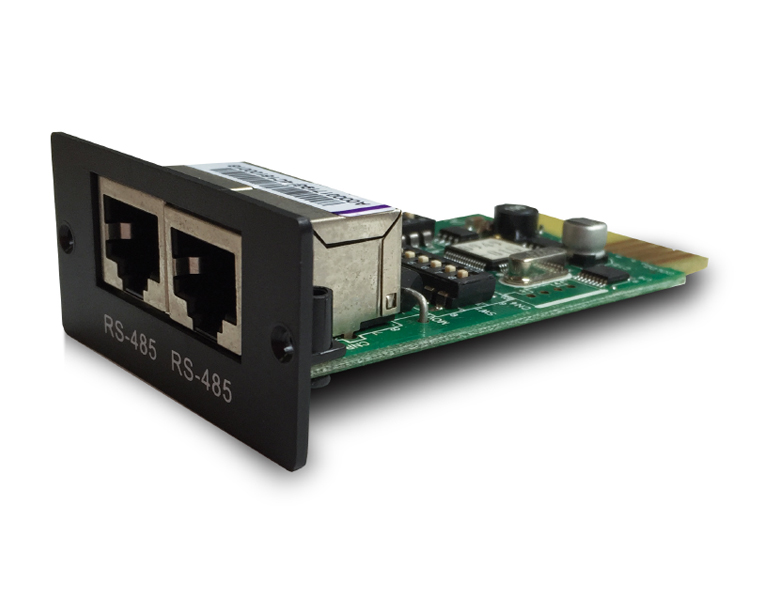
The Wintal International PVRX2 Player is a software utility designed for PC users to play and manage digital TV recordings made with Wintal-branded Personal Video Recorders (PVRs). It is primarily recognized for handling a proprietary file format that can be challenging to use with standard media players. Core Functionality
Playback: Allows users to watch recorded digital TV programs on a PC.
File Format: Uses the .pvr file extension, which is a proprietary MPEG-2 Transport Stream (TS).
Interface: Features a simplified interface for controlling volume and screen size, though early versions lacked advanced navigation like fast-forward or rewind. Compatibility and Conversion
Because .pvr files are not natively compatible with most modern devices or editing software, users often require conversion steps to use them elsewhere.
Recommended Players: Beyond the native PVRX2 software, users often utilize Media Player Classic with a quality codec pack (like K-Lite) to play these files directly on Windows.
Conversion Tools: For editing or burning to DVD, community members have historically used tools such as ProjectX for demuxing and VideoReDo for further processing.
Output Formats: Files are typically converted to more standard formats like MPG, WMV, or MP4 for broad compatibility. Hardware Context
The PVRX2 software is often associated with Wintal hardware units, which share technical similarities with other devices from the same era, such as the Digicrystal 9070P.
The Wintal PVRX2 was designed as a versatile media hub for the early digital TV era, offering then-advanced features like dual recording and time-shifting. While it impressed on paper, real-world usage was often marred by hardware and software inconsistencies. Key Features
Dual Tuner Capability: Its standout feature was the ability to record two different programs simultaneously while watching a third (from the same network).
Time-Shifting: Allowed users to pause live TV and resume later, or start watching a recording from the beginning while it was still in progress.
EPG (Electronic Program Guide): Provided a relatively simple interface for scheduling future recordings.
USB File Transfer: Recordings are saved as .pvr files, which can theoretically be moved to a PC for playback or conversion. Performance & Reliability
Build Quality: A common pain point for owners was the unit's longevity. Many users reported "dodgy electronics" that required multiple repairs within the first few years.
Remote Responsiveness: The remote control was often criticized for being sluggish, requiring a direct line of sight and firm button presses to register commands.
Software Glitches: Early firmware versions had issues with auto-resume (not remembering where you stopped watching) and occasional freezing during playback. The PC Playback Headache Wintal International PVRX2 Player
Transferring files to a computer was a primary use case for some, but the proprietary .pvr format proved difficult. The supplied PVR Player software was widely panned for lacking basic fast-forward or rewind controls and having a tendency to freeze. Conversion to more standard formats like .mpg often resulted in jerky video or squashed aspect ratios. Pros & Cons Pros Cons True twin-tuner dual recording Poor long-term hardware reliability Easy setup for beginners Finicky remote control sensor Solid picture and sound quality Terrible PC playback/conversion software Decent hard drive capacity for its time Recording can stop without warning Verdict
The Wintal PVRX2 was a "teaser" device—it offered a glimpse of high-end home theater convenience but frequently let users down due to poor build quality and a clunky interface. It is best remembered as a budget-friendly alternative to premium brands that required frequent firmware updates and a bit of patience to operate effectively. Wintal Pvrx2 - Playing And Converting The .pvr Files
Introducing the Wintal International PVRX2 Player: A Revolutionary Digital Media Player
In the world of digital media players, there are numerous options available in the market, each with its unique features and capabilities. One such device that has gained significant attention in recent times is the Wintal International PVRX2 Player. In this blog post, we will take a closer look at this innovative device, its features, and what makes it stand out from the rest.
What is the Wintal International PVRX2 Player?
The Wintal International PVRX2 Player is a digital media player designed to provide users with a seamless entertainment experience. It is a compact device that can be connected to a TV or other display devices, allowing users to access a wide range of digital content, including movies, TV shows, music, and photos.
Key Features of the Wintal International PVRX2 Player
The Wintal International PVRX2 Player comes with a range of impressive features that make it an attractive option for anyone looking for a reliable digital media player. Some of its key features include:
Benefits of Using the Wintal International PVRX2 Player
There are several benefits to using the Wintal International PVRX2 Player. Some of the advantages of this device include:
Use Cases for the Wintal International PVRX2 Player
The Wintal International PVRX2 Player can be used in a variety of settings and scenarios. Some of the possible use cases for this device include:
Conclusion
In conclusion, the Wintal International PVRX2 Player is a versatile and feature-rich digital media player that offers a range of benefits and use cases. With its support for 4K Ultra HD, wide format compatibility, and wireless connectivity, this device is an attractive option for anyone looking for a reliable and affordable digital media player. Whether you're looking to enjoy home entertainment, make business presentations, or display digital signage content, the Wintal International PVRX2 Player is definitely worth considering.
Wintal International PVRX2 is a twin-tuner Personal Video Recorder (PVR) designed to record digital TV directly to an internal hard drive. While it offers advanced recording features for its time, it is known for having a unique user interface that can require some adjustment to master. Key Features Twin Digital Tuner
: Allows you to record two programs simultaneously or watch one while recording another. Time-Shift & PIP The Wintal International PVRX2 Player is a software
: Supports picture-in-picture (PIP) and the ability to pause live TV and resume it later. Electronic Program Guide (EPG)
: Enables easy scheduling of recordings directly from the on-screen TV guide. HDD Storage
: Equipped with a high-capacity internal hard drive for storing recorded content. Basic Operation Tips One-Touch Recording (OTR) : Press the
button once to start an instant recording. Pressing it multiple times typically sets a timer in 15-minute increments. button to access your library of saved "events". Firmware Updates
: To ensure the best performance, check if your unit has the
firmware upgrade (released in April 2007), which addresses several stability issues. Signal Strength
: If you experience picture stuttering, use the signal strength indicator in the menu; a signal "CN" value below 20 may cause recording errors. Common Troubleshooting Remote Issues
: The remote sensor can be narrow; ensure you are pointing the remote directly at the unit and that batteries have the correct polarity. Recording Stoppage
: Ensure there is sufficient hard drive space, as the unit may stop recording without a prominent warning if the disk is full. Transferring to PC : Files transferred via USB to a PC use a specific
format. To play these on a computer, you must use the proprietary Wintal PVR Player
software, as standard players like Windows Media Player may not support them natively. for the latest firmware or a guide on converting PVR files to standard video formats? Wintal PVRX2 reviews | ProductReview.com.au
The Wintal International PVRX2 is a legacy digital set-top box and Personal Video Recorder (PVR) that gained popularity for its ability to record high-definition television directly to an internal hard drive. While newer streaming technologies have largely taken over, the PVRX2 remains a notable piece of hardware for home theater enthusiasts who value local storage and direct broadcast recording. Core Features of the Wintal PVRX2
The PVRX2 was designed as a "bridge" device, offering users a way to transition from traditional VCR or DVD recording to digital, disk-based storage. Key technical highlights include:
Dual Tuner Capability: One of its strongest selling points was the inclusion of dual tuners, allowing users to record two different channels simultaneously or watch one live program while recording another in the background.
Internal Hard Drive Storage: The unit typically shipped with various hard drive capacities (often 80GB to 160GB or higher), providing dozens of hours of standard and high-definition recording space without the need for external disks.
Time-Shifting: Like modern DVRs, it supported "time-shifting," which lets you pause live TV and resume it later, or rewind through a program you are currently watching. Support for 4K Ultra HD : The PVRX2
Electronic Program Guide (EPG): It integrated a full EPG, making it easy to schedule recordings days in advance with a single button press. Media Playback and PC Connectivity
The "Player" aspect of the PVRX2 refers to its ability to handle multiple file formats. Users often utilized the Wintal PVRX2 to play back recorded content directly on their TVs, but the device also featured a USB port for file transfers.
However, the file format system was a known hurdle for many users. The device recorded files in a proprietary .PVR format. While Wintal provided a dedicated "PVR Player" software for PC use, many owners reported difficulties with it. According to discussions on StereoNET, early versions of the software lacked basic navigation controls like fast-forward or rewind, leading many to seek third-party conversion tools to turn .PVR files into standard .MPG or .AVI files for better compatibility with Windows Media Player or VLC. Performance and User Experience
Reviews from platforms like ProductReview.com.au suggest the unit was well-regarded for its picture and sound clarity. Users noted that:
Setup: The initial configuration could be complex, requiring a bit of a learning curve to navigate the setup procedures.
Firmware Updates: Firmware version 192B was a significant milestone for the device, fixing several bugs and improving the overall stability of the operating system.
Limitations: One common complaint was that if playback was stopped, the device did not always remember the previous position, forcing users to manually skip back to where they left off. Is the Wintal PVRX2 Still Relevant?
In today's landscape of 4K streaming and cloud-based DVRs, the Wintal PVRX2 is primarily a tool for those who prefer offline viewing or who live in areas with unreliable internet but strong terrestrial digital signals. For those maintaining older hardware, firmware and guides can still occasionally be found through legacy Wintal support pages or community forums. Wintal PVRX2 reviews | ProductReview.com.au
Like the early TiVo, the PVRX2 allowed users to pause live television. Once you enabled Timeshift, the unit would write the buffer to the hard drive. You could rewind, fast-forward (at varying speeds up to 64x), and resume live broadcasting seamlessly. This feature alone was a game-changer for families who hated missing a scene due to a phone call.
In the age of 4K streaming sticks and cloud DVRs, it is rare to find a piece of consumer electronics that feels truly honest. But dig deep into the forums of Australian tech enthusiasts or the quiet corners of niche home theater groups, and you will find a surprising amount of love for a silver box from the mid-2000s: the Wintal International PVRX2.
Released at a time when "Personal Video Recorder" was still a magic phrase, the PVRX2 wasn't just a generic set-top box. It was the ultimate utilitarian tool for cord-cutters before cord-cutting was cool.
Let’s rewind the tape and look at why this old machine refuses to die.
When you first held the Wintal PVRX2, you noticed it was unapologetically utilitarian.
Connectivity (Rear Panel):
Notably missing: HDMI. The PVRX2 was designed for Standard Definition (576i for PAL regions). This is a crucial limitation to understand today.
The PVRX2 typically supports Time Shifting, allowing you to pause a live broadcast.