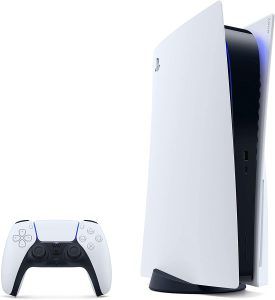
Download Exfathax.img | Work
When sending or posting about a file like Exfathax.img, the tone should match the platform (technical forum, email, or project documentation). Since this filename suggests a tool for handling exFAT file systems or potentially a custom firmware/exploit, clarity and safety are priorities. Option 1: Formal Technical Delivery
Use for: Emailing a client, colleague, or providing an official download link. Subject: Download Link: Exfathax.img Disk Image
The Exfathax.img file you requested is ready for download. This image contains the necessary configurations for your exFAT partition recovery.
Download Link: [Insert URL Here]File Hash (SHA-256): [Insert Hash Here]
Please verify the checksum before flashing the image to ensure data integrity. Let me know if you encounter any mounting issues. Option 2: Casual Peer-to-Peer Use for: Discord, Slack, or tech forums. Subject: Here is the Exfathax.img file
Yo! I managed to grab a clean copy of Exfathax.img. You can download it here: [Link].
I’ve already tested it on a 64GB thumb drive and it works as expected. Just a heads up—make sure you use a tool like Etcher or Win32DiskImager to write it, as standard copy-pasting won't work for an .img file. Option 3: Documentation / ReadMe Style Use for: GitHub repositories or "How-To" guides. 💾 Installation Guide for Exfathax.img
To begin the setup, download the latest version of the disk image: File Name: Exfathax.img Version: 1.0.2 Direct Download: [Insert Link] Steps to Deploy: Insert your target USB/SD card. Open your preferred imaging software. Select Exfathax.img as the source. Flash the drive and restart your system. 🛡️ Safety Note When sharing or downloading .img files: Always provide a checksum (MD5 or SHA-256). Warn users that flashing an image wipes the target drive.
Verify the source to avoid malware, especially with "hax" labeled files.
If you can tell me who you are sending this to or what the file actually does, I can sharpen the text to be even more effective!
Technical Overview: The Role of Exfathax.img in the PS4 9.00 Kernel Exploit 1. Abstract
The PlayStation 4 (PS4) firmware 9.00 jailbreak, known as pOOBs4, represents a significant milestone in console homebrew. Central to this exploit is the exfathax.img file, a specialized disk image that triggers an out-of-bounds (OOB) memory access vulnerability within the PS4's exFAT file system driver. This paper details the function of exfathax.img and its role in achieving kernel-level code execution. 2. The Vulnerability (CVE-2021-43579)
The exploit targets a flaw in how the PS4 kernel handles exFAT partition structures. Specifically, it exploits a lack of validation when the system parses "Extended Attributes" or specific directory entry structures.
Mechanism: By crafting a malicious exFAT image (exfathax.img), attackers can force the kernel to write data beyond allocated buffer boundaries.
Trigger: The vulnerability is triggered immediately upon mounting the filesystem, which occurs when a USB drive containing the image is inserted into the console. 3. Implementation Process Download Exfathax.img
The deployment of exfathax.img requires a multi-step "handshake" between a web-based entry point and physical hardware:
Webkit Exploit: The user navigates to a host site that runs a JavaScript-based exploit to gain initial user-land access.
Mounting the Image: The browser prompts the user to insert a USB drive. This drive must be "flashed" with exfathax.img using tools like Win32DiskImager.
Kernel Execution: Once the USB is inserted, the PS4 kernel attempts to read the corrupted exFAT headers in exfathax.img, leading to the OOB write that allows the execution of the jailbreak payload (GoldHEN or Mira). 4. Technical Specifications of exfathax.img Format: Raw Disk Image (.img).
Size: Typically 4MB (though the actual data footprint is much smaller). Filesystem: Malformed exFAT.
Source: The original exploit was developed by researchers ChendoChap, SpecterDev, and Znullptr, with the source code hosted on the pOOBs4 GitHub repository. 5. Challenges and Troubleshooting
Users often encounter issues where the "exfathax USB" is not recognized or fails to trigger the exploit. Common resolutions include:
Physical Integrity: Ensuring the USB drive is formatted correctly with the image rather than just copying the file onto it.
Timing: Inserting the drive only when prompted by the webkit host to avoid race conditions. 6. Conclusion
The exfathax.img file is not a standalone software but a "key" designed to exploit a specific hardware-software interaction. Its discovery allowed for a stable jailbreak on firmware 9.00, which remains one of the most reliable entry points for PS4 homebrew and modification today.
Elias was a "data hoarder." He spent his nights scouring abandoned FTP servers and defunct forums for discarded OS builds and obscure firmware. On a site hosted in a country that hadn't existed for thirty years, he found a single, unlinked file: Exfathax.img.
The description was a single line of corrupted text: “For the drive that has no end.”
Thinking it was a custom file-system exploit or a high-capacity formatting tool, Elias downloaded it. He flashed the image onto a spare 16GB thumb drive. The process should have taken seconds, but the progress bar crawled for three hours. When it finished, he opened the drive.
His computer didn't show a 16GB partition. It showed 999 Petabytes of free space. When sending or posting about a file like Exfathax
Elias laughed, assuming it was a simple registry trick—a "hacker" prank to make a small drive look massive. To test it, he dragged a 4GB movie file onto the disk. It transferred instantly. Then he dragged his entire 2TB backup library. Instant.
Greed took over. He began downloading everything he could find, feeding the drive like a bottomless pit. But as the "used space" grew, his room began to change. A low, sub-harmonic hum vibrated the floorboards. The air smelled like ozone and old parchment.
Late that night, Elias opened a folder on the drive he didn't remember creating. It was labeled \SENSORS\BIOMETRIC\ELIAS_V3. Inside were thousands of high-resolution photos of him sitting at his desk, taken from an angle that shouldn't exist—from inside his monitor.
He tried to eject the drive. The OS gave a system error: "Process 'EXISTENCE.EXE' is currently using this device."
He grabbed the plastic casing of the thumb drive to pull it out manually, but his hand didn't meet resistance. His fingers sank into the plastic like it was liquid. The hum grew into a roar. On the screen, the "free space" began to count down, not in gigabytes, but in heartbeats.
Elias realized too late that Exfathax wasn't a tool for formatting drives. It was a tool for formatting reality, and he had just given it a 16GB doorway into his.
The file exfathax.img is a critical component of the pOOBs4 jailbreak for the PlayStation 4 on firmware version 9.00. This small image file (approximately 4MB) contains a modified exFAT filesystem designed to trigger a kernel-level bug, allowing the execution of arbitrary code and the installation of homebrew like GoldHEN. Where to Download Exfathax.img
To ensure the safety of your console, you should only download the image from verified developers.
Official Repository: The primary source is the ChendoChap pOOBs4 GitHub, where the exploit was first released.
Mirrors & Alternatives: While some users prefer "pico" versions or Better USB Image to avoid the "unsupported filesystem" error message, the original GitHub version remains the most reliable. Requirements for Installation Before using the file, ensure you have the following:
Firmware 9.00: Your PS4 must be exactly on version 9.00. If you are on a lower version, you must update manually to 9.00; if you are on 9.03 or higher, this exploit will not work.
Dedicated USB Drive: Any small USB drive (even 32MB) will work, as the image is less than 5MB.
Imaging Tool: You will need software like Rufus or Win32 Disk Imager to write the image to the drive. How to Use Exfathax.img
Flash the USB: Use Rufus or Win32 Disk Imager to "Burn" or "Write" the exfathax.img file to your USB drive. This will erase all data on the drive. What to Do If You're Unsure
Access the Exploit Host: On your PS4, open the User Guide or a hosted exploit site (such as Karo or Kameleon) in the web browser.
Insert USB when Prompted: The webpage will eventually ask you to insert the USB. Plug it in and wait for the system notification: "This USB storage device's filesystem is unsupported".
Confirm and Run: Once the notification disappears, press OK on the screen. If successful, GoldHEN will load, and you can remove the USB.
Note: You must repeat this USB insertion process every time you cold boot (completely restart) your PS4 to re-enable the jailbreak.
Here’s a short, technical write-up regarding the download and usage of Exfathax.img, typically associated with Nintendo Switch hacking (specifically the ExFAT-based RCM exploit for certain firmware versions).
Disclaimer:
This content is for educational purposes only. Modifying your console may violate its warranty, terms of service, and local laws. Only proceed if you own the device and understand the risks (e.g., console ban, bricking).
What to Do If You're Unsure
- Ask developers/communities: Reach out to forums, GitHub issues, or official support channels for clarity.
- Avoid executing the file until fully understood.
- If the file seems suspicious, delete it and report phishing or malicious links to appropriate authorities.
Safer Alternatives to "Exfathax.img"
If you want to expand your Switch’s functionality without risking malware or a ban:
| Goal | Safe Method | |------|-------------| | Run homebrew | Use Atmosphere CFW + emuNAND (completely offline) | | Play retro games | Buy official collections (Sega Genesis, NES/SNES Online) | | Backup game saves | Use Nintendo Switch Online cloud saves (legit) | | Mod older consoles | Consider a Raspberry Pi or retro handheld (Powkiddy, Anbernic) |
5. Troubleshooting (If You Still Need It)
| Issue | Likely Fix |
|-------|-------------|
| Exfathax.img not booting | Switch is patched (check serial number: XKW, XKJ, XWW). |
| SD card not detected | Reformat as FAT32, not ExFAT (ironically). |
| Payload hangs | Use a newer RCM loader like hekate_ctcaer_<ver>.bin. |
Step-by-Step: How to Safely Perform a Switch Payload Injection (Without Sketchy Files)
If your goal is to run homebrew on a vulnerable Switch, follow this safe, legitimate method. Do not download random Exfathax.img files from forums or file-sharing sites.
Steps to Safely Download and Assess Exfathax.img
-
Verify the Source:
- Ensure the file comes from a reputable website or developer. Avoid downloads from unsolicited emails, random forums, or pirated sites.
- Cross-check the file's purpose with official documentation or community discussions.
-
Understand the File's Purpose:
- Research if the file is part of a legitimate project (e.g., open-source tooling, firmware, or hardware mods).
- If unsure, consult trusted forums or GitHub repositories for context.
-
Check for Authenticity:
- Look for checksums (e.g., SHA-256, MD5) provided by the source to verify file integrity.
- Use tools like
sha256sum(Linux/Windows) or online hash verifiers to confirm the file matches expected values.
-
Security Precautions:
- Open sandboxed environments (e.g., virtual machines) to test untrusted
.imgfiles. - Use antivirus/anti-malware tools to scan the file before execution.
- Avoid running
.imgfiles on critical systems without understanding their contents.
- Open sandboxed environments (e.g., virtual machines) to test untrusted
-
Legal and Ethical Considerations:
- Ensure the file is not part of a digital rights violation (e.g., pirated software or unauthorized firmware).
- Respect terms of service for devices, especially if modifying proprietary hardware/software.