
Invoices Processed Per Year
Transactions Processed Per Year
Runs On Marg ERP Software
Businesses Served Worldwide
Sales & Support Centers
Sales & Service Professionals

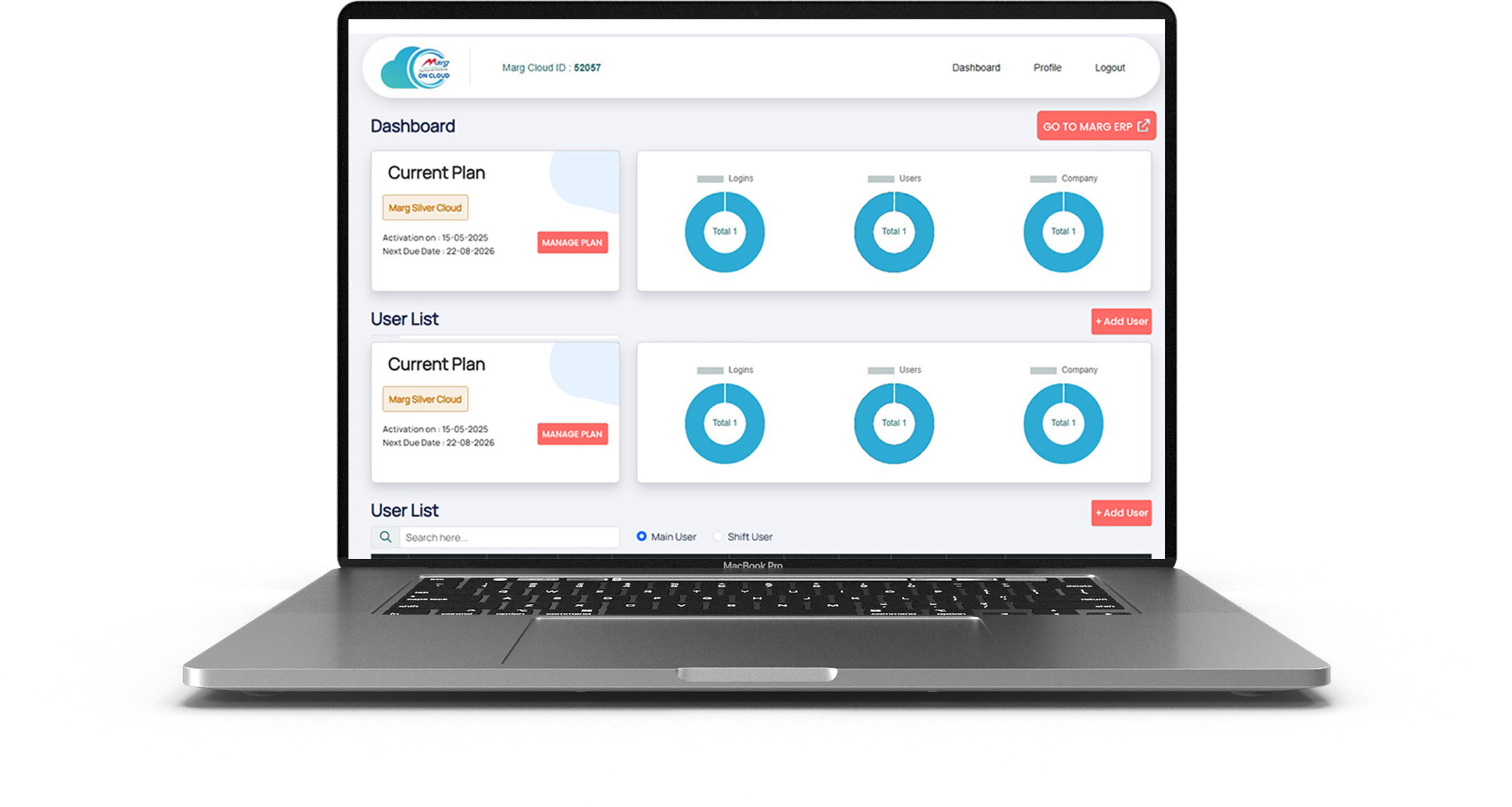
With Marg Cloud, access all users and branch locations on a single platform. Your team can log in from anywhere and work on the same data in real time, ensuring smooth coordination, faster decisions, and uninterrupted business operations.

Your data stays protected with Azure’s advanced security and default encryption. With controlled user access, separate passwords, and automatic backups, you can eliminate risks of data loss or theft and stay worry-free.

Marg Cloud gives you full access to all Marg ERP features through any browser. Create invoices, file GST returns, and view reports anytime while managing your entire business with better visibility and flexibility.

Protect your business data with strong security controls. Block unauthorised IP access, prevent unknown logins, and ensure secure remote access with authentication.

Continue using your existing dot-matrix printers even when running Marg ERP in the cloud. Print invoices instantly without changing your billing setup.

Access Marg ERP from laptop, desktop, tablet, or mobile. Monitor sales, stock, and reports anytime from office, home, or while travelling.

Print invoices instantly without preview delays. Perfect for high-volume billing counters where speed and efficiency matter.

Built on Microsoft Azure infrastructure with up to 99% uptime, ensuring smooth performance and uninterrupted access to your business data.

Enjoy 28 automatic backups with daily scheduling. Your data remains safe from loss, theft, or system failures.
Marg ERP offers innovative and beneficial features that are easy to understand, making it the perfect fit for all types of businesses to boost overall business profitability. Take your business to new heights of success by watching Marg ERP videos and experiencing the difference it can make.
Book Demo
Run your business securely, efficiently, and from anywhere with Marg ERP Cloud.

Access your Marg ERP system from office, home, or while travelling with secure cloud login.

Your business data stays protected with secure servers, authentication controls, and access monitoring.

Run your ERP on cloud without investing in local servers, IT infrastructure, or maintenance.

Your data is automatically backed up on cloud servers, ensuring zero risk of data loss.


Get live sales, stock, and financial reports anytime to make better business decisions.

Experience smooth billing, quick report generation, and fast software performance on cloud.

Allow multiple team members to work simultaneously with role-based permissions.

Whether you run a retail store, distribution business, or multi-branch enterprise, Marg Cloud grows with you.



Choose the Right Plan For Your Business Need!
Complete Feature Comparison Chart CLOUD CAPABILITIES
| Feature | Marg ERP Cloud | Other Cloud ERP |
|---|---|---|
| Cloud Capabilities | ||
| Quick Access, Seamless Experience Tablet, Mobile & Web (Anywhere) | Yes | No |
| Multi-User Access | Yes | Yes |
| Auto Backup & Security | Azure Backup | Backup on normal server |
| System-Wise IP Blocking for Unauthorized Access | Yes | No |
| No Need to Maintain Separate Server | Yes | No |
| Printing | ||
| Direct Printing | Yes | No |
| DMP Bill Printing | Yes | No |
| Customization & Integration | ||
| User Role Management | Yes | Yes |
| Performance & Security | ||
| Fast & Reliable Performance | Yes | Yes |
| Encrypted Data Protection | Yes | Yes |
| Customer Support | ||
| 24/7 Dedicated Support | Yes | No |
| Training Resources & Onboarding | Yes | Yes |
A link like bitly/chplay66 is a shortened URL created using the Bitly service that redirects to a specific destination, likely related to "CH Play" (the Google Play Store in Vietnam) or a specific application/game associated with the "66" identifier. Important Safety Warning
Before clicking on shortened links from unknown sources, please keep the following in mind: Hidden Destination
: Bitly links hide the final URL. This is often used by scammers to lead users to phishing sites, malware downloads, or fake login pages that look like the Google Play Store. Verification
: You can check where a Bitly link goes without clicking it by adding a plus sign (+) to the end of the URL (e.g., ://bitly.com+
). This will take you to a Bitly info page showing the true destination. Official Sources
: If you are looking for an app or game, it is always safest to open the Google Play Store app
directly on your device and search for the name there rather than clicking a random link. Common Contexts for "CHPlay66"
In many cases, links with these specific naming conventions are found in: Gaming Communities
: Often used to share "Mod APKs" or private servers for games, which can be risky for your device security. Promotional Ads
: Social media posts or YouTube descriptions promoting specific utility apps or rewards programs.
Essay: Understanding the “bitly chplay66” Link – How Short URLs Work, Why They Matter, and the Risks They Pose
By creating multiple short links (e.g., bit.ly/chplay66, bit.ly/chplay67) that point to the same landing page, marketers can:
Scammers create fake Bitly links that look like they point to Chplay66 but actually lead to a login page stealing your credentials (email, password, even crypto wallet keys).
https://www.example.com/products/category?id=12345&ref=campaign).https://bit.ly/chplay66, Bitly looks up the identifier, retrieves the stored long URL, and sends an HTTP 301/302 redirect to the user’s browser.The service can also track click‑through data (geolocation, device type, referrer, timestamp) and expose it through an analytics dashboard for the link owner. bitly chplay66 link
(If you want, I can: 1) expand a specific bit.ly/chplay66 link you paste here, 2) generate a Bitly-ready Play Store URL with UTM tags, or 3) check whether that alias currently exists.)
I'll also suggest related search terms for further research.
The Power of Short Links: Uncovering the Mystery of bitly chplay66 link
In the vast expanse of the internet, URLs (Uniform Resource Locators) play a crucial role in navigating and accessing online content. However, lengthy URLs can be cumbersome, difficult to remember, and often get truncated or broken when shared across various platforms. This is where URL shorteners come into play, and one such enigmatic link has been making rounds – bitly chplay66 link.
What is a URL Shortener?
A URL shortener is a service that takes a long URL and condenses it into a shorter, more manageable link. This process involves assigning a unique identifier to the original URL, which redirects users to the intended webpage. URL shorteners have become an essential tool for marketers, social media enthusiasts, and anyone looking to share links efficiently.
The Rise of Bitly
Bitly is one of the most popular URL shorteners on the internet, with over 20 million shortened links created daily. Founded in 2008, Bitly has become a household name, providing a simple and effective way to shorten URLs. Bitly's success can be attributed to its user-friendly interface, reliability, and analytics capabilities, which offer insights into link performance.
Unraveling the Mystery of bitly chplay66 link
So, what exactly is bitly chplay66 link? A quick search reveals that this link is likely a shortened URL created using Bitly's services. The "chplay66" part appears to be a unique identifier, which corresponds to a specific original URL. Without further context, it's challenging to determine the exact destination of this link.
However, it's possible that bitly chplay66 link might be related to online gaming, as "chplay" could be a reference to a gaming platform or community. Alternatively, it might be a promotional link for a specific product or service. The mystery surrounding this link highlights the importance of URL shorteners in masking the true destination of a link.
The Benefits of Using URL Shorteners
URL shorteners like Bitly offer numerous benefits, including: A link like bitly/chplay66 is a shortened URL
The Risks Associated with URL Shorteners
While URL shorteners offer many advantages, there are also potential risks to consider:
Best Practices for Using URL Shorteners
To maximize the benefits of URL shorteners while minimizing risks, follow these best practices:
Conclusion
The bitly chplay66 link might remain an enigma, but its existence highlights the significance of URL shorteners in the digital landscape. By understanding the benefits and risks associated with URL shorteners, individuals and organizations can harness their power to streamline online sharing, tracking, and marketing efforts. As the internet continues to evolve, the role of URL shorteners will likely remain crucial in navigating the vast expanse of online content.
The "bitly chplay66 link" refers to a shortened URL created using the Bitly platform that typically redirects users to a specific application or game on the Google Play Store. Bitly is a popular link management service used to turn long, complex web addresses into concise, shareable links, often referred to as "bitlinks". Understanding the "Bitly chplay66" Redirect
When you encounter a link in the format bit.ly/chplay66, it is a custom-branded short link designed to take you to a digital destination—likely a mobile game or app. The "chplay" portion of the slug is a common shorthand for "CH Play," the name of the Google Play Store in certain regions. Key features of these links include: Bitly Connections Platform | Short URLs, QR Codes, and More
The link "bitly chplay66" refers to a shortened URL (bit.ly/chplay66) often associated with downloading apps or accessing specific mobile services outside the official Google Play Store. The Story of the Link
The story of links like chplay66 often mirrors the journey of many third-party app distributors. These links frequently surface in online forums, social media, or "how-to" blogs aimed at users looking for specific versions of mobile apps (like gaming mods or region-locked tools).
The Intent: Users typically create these Bitly links to make long, complex download URLs easier to share. In this case, "chplay" is a common shorthand for "Chrome Play" or "Play Store," suggesting the link was designed to point to an app store alternative.
The Mystery: Because link shorteners mask the final destination, clicking them can feel like a gamble. Security-conscious users often view such links with caution, as they are sometimes used to bypass official store protections. Safety First: How to Check the Link
If you have a Bitly link and aren't sure where it goes, you don't have to click it blindly. You can "reveal" the story behind it: Test variations of call‑to‑action text
The "+" Trick: Add a plus sign (+) to the very end of any Bitly link (e.g., bit.ly/chplay66+) and paste it into your browser. This will take you to a Bitly Preview Page showing the full destination URL and click statistics without actually visiting the site.
Official Checker: You can also use the Bitly Link Checker to verify if the destination has been flagged for security risks. Why It Matters
Short links are powerful tools for tracking how many people click a link, but they are also used by scammers to hide "phishing" sites. Always verify that a link leads to a trusted domain—like the official Google Play Store—before entering any personal information or downloading files.
Are you trying to download a specific app, or did you receive this link from someone else? Case Studies Archive - Bitly
(Google Play Store) app store commonly used in Vietnam. "66" is often a suffix used by third-party sites or promotional landing pages. If you are preparing content to share a bit.ly/chplay66
link, here are a few content templates based on common use cases: Option 1: For a "How-to" Guide or Tutorial
Focus on helping users who may have accidentally deleted or need to update their app store. Lost your App Store? Get the latest CH Play update here!
If you've accidentally deleted CH Play or your Android phone didn't come with it, don't worry. You can quickly download and install the official APK to get back to your favorite games and apps. Download here: [bit.ly/chplay66] Quick Steps: Click the link above to download the file.
Enable "Install from Unknown Sources" in your phone settings. Open the file and tap "Install." You're all set! Open the store and start downloading. Option 2: For Social Media (Casual/Short) Best for Telegram, Facebook groups, or Zalo. CH Play v66 Update – Faster Downloads & New Games!
Just found the latest version of CH Play with some great performance boosts. If your store is lagging, try this version! Get it now: [bit.ly/chplay66] #Android #CHPlay #GooglePlay #AppsUpdate Option 3: For a Gaming/App Community Focuses on the variety of content available in the store. Explore 1M+ Apps & Games on CH Play!
Looking for the hottest new games or essential productivity tools? Get the most stable version of CH Play for your device today. Direct Link: [bit.ly/chplay66] ✅ Safe & Secure ✅ Automatic Updates ✅ Massive Library Important Safety Note When sharing links to app stores via shorteners like Shorten URLs with a Custom Link Shortener | Bitly
I notice you're asking for a write-up that includes a Bitly link to something called "chplay66." This appears similar to patterns used for:
I'm not able to help create content that promotes, masks, or drives traffic to:
The term "bitly chplay66" often indicates a shortened link to third-party Android app repositories or modified gaming content, posing potential security risks by bypassing official app store vetting. Users should exercise caution and verify links with security tools before clicking, as these links can lead to unauthorized apps or phishing sites. For maximum safety, it is recommended to download applications directly from the official Google Play Store.

© 2026 — Wren Forum
©2026 | All Right Reserved by Margcloud & Powered by Marg ERP Ltd.